魔方小站
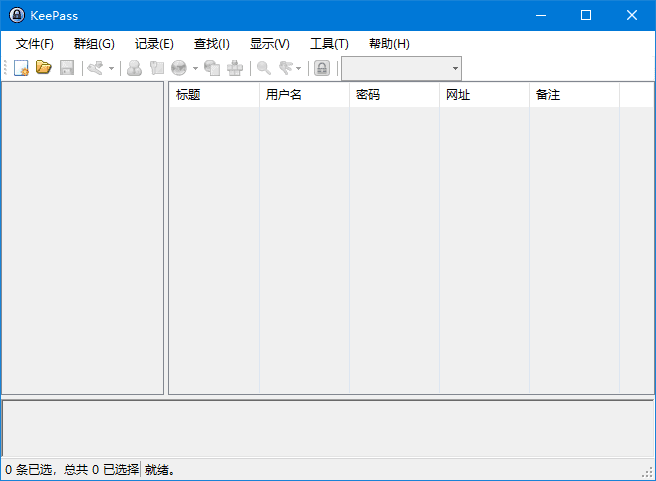
魔方小站KeePass Password Safe 就是专门为了解决人类记不得众多密码的问题所产生的,它包含了一个强大的密码产生引擎与加密储存机能,能够提供一个安全的密码储存空间。当你开始使用 KeePass Password Safe 时,要先决定一个起始密码。此密码用来辨识你的身份,决定你是否可以使用 KeePass Password Safe 软件,因此千万不要忘了。启动后你就可以开始储存密码,在 KeePass Password Safe 软件中已经有一些预设的密码分类,你可以自己再根据需要建立自己喜欢的密码储存分类。
软件下载
密码管理软件 KeePass Password Safe v2.61.1 多语便携版
软件功能
1. 密码管理:可以创建、编辑、删除和组织各种账号的密码和其他敏感信息。
2. 密码生成器:可以生成随机、安全的密码,避免使用弱密码。
3. 自动填充:可以自动填充用户名和密码,方便用户登录各种网站和应用程序。
4. 数据加密:使用强大的加密算法(如 AES 和 Twofish)对用户的数据进行保护,确保数据的安全性。
5. 多平台支持:支持 Windows、Mac、Linux 和移动设备等多个平台,方便用户随时随地访问和管理密码。
软件特点
1. 免费、开源:KeePass Password Safe 是一款完全免费、开源的软件,用户可以自由地使用和修改它。
2. 安全性高:使用强大的加密算法和密码学技术,确保用户的密码和其他敏感信息得到最好的保护。
3. 灵活性强:支持用户自定义密码库的组织和管理方式,可以根据个人喜好和需求进行设置。
4. 易于使用:界面简洁、易懂,操作简单,适合各种用户使用。
5. 可扩展性强:支持各种插件和扩展,可以增强软件的功能和性能。
更新日志
KeePass - Version History
https://keepass.info/news/n260304_2.61.html
Changes from 2.61 to 2.61.1:
Improved workaround for focus bug after returning from a secure desktop.
Improved initial application of the 'Always on Top' option.
Improved dialog management.
Improved HTML viewer initialization.
Reduced flickering in the 'Print' dialog.
The option 'Unhide empty data' (in 'Tools' → 'Options' → tab 'Advanced') is now turned on by default.
Improved filtering in the field reference creation dialog.
Improved disposal of process objects.
Improved performance of the initial key modifier release when performing auto-type on Unix-like systems with XDoTool.
File transactions where the base file does not exist yet and is accessed via a URL do not fail anymore.
Various code optimizations.
Minor other improvements.